S3 file manager
without the AWS console
Browse buckets, upload folders, and sync between S3 regions and other clouds — all from a fast dual-pane desktop app on Windows and macOS.
AWS Console is slow for everyday S3 tasks
Creating buckets in the AWS Management Console is easy — but comparing two prefixes, moving ten thousand objects, or copying S3 → Cloudflare R2 still means console friction, IAM guesswork, or CLI scripts. An amazon s3 file manager should offer visual browsing, side-by-side buckets, and a queue that survives network blips. Teams waste time tab-switching between regions and tools when they only need to upload a folder or mirror a backup. The console was built for administration, not daily file work.
Desktop S3 browser built for transfers
CloudPairs is an amazon s3 file manager for Windows 10/11 and macOS 13+ that connects with IAM access keys stored in your OS keychain. Browse any AWS region or custom endpoint in dual-pane mode, run parallel uploads with bandwidth limits, and copy S3 ↔ R2 or local disks without a staging folder. Pro adds presigned URL generation, folder sync with skip-existing, and cron automation. Start with a free 14-day Pro trial (no credit card), then $12/mo — skip the console for the work you do every day.
Why CloudPairs for Amazon S3
All AWS regions + custom endpoints
Connect standard regions, GovCloud-style endpoints, or S3-compatible gateways from one client.
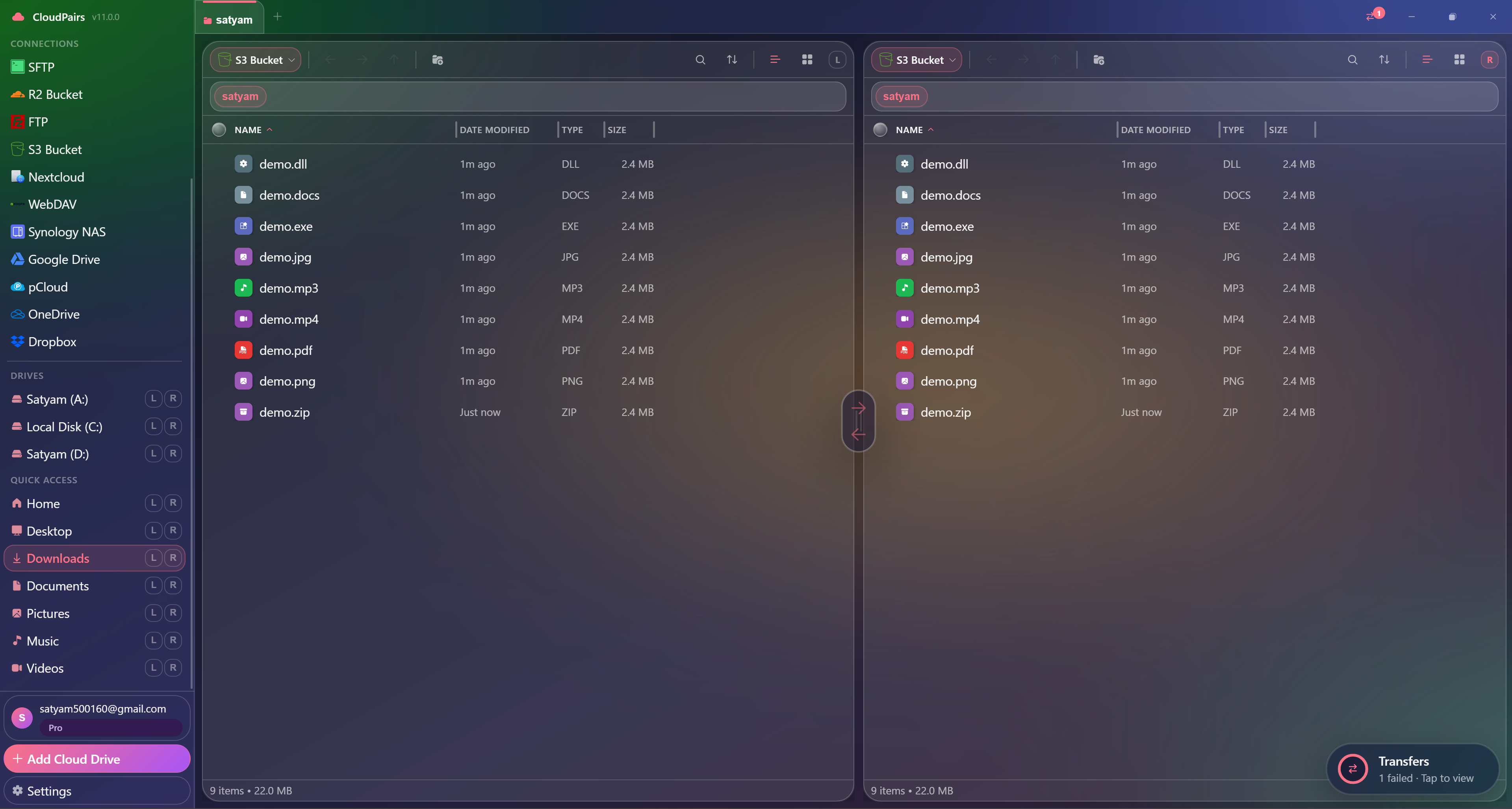
Dual-pane S3 ↔ S3 or S3 ↔ local
Compare prefixes side by side and drag objects between buckets or your hard drive.
Transfer queue with bandwidth limiter
Parallel jobs with progress, speed, retry, and optional KB/s or MB/s caps.
Presigned URL generator
Create time-limited share links from the desktop — included with Pro.
IAM Access Key auth
Keys encrypted in Windows Credential Manager or macOS Keychain — never sent to our servers.
Folder sync automation
Schedule one-way or mirror syncs with skip-existing to avoid redundant uploads (Pro).
Who uses CloudPairs with Amazon S3
DevOps backup buckets
Sync logs, artifacts, and build outputs across regions or into a cold-storage prefix.
Content delivery prep
Bulk-upload media and static assets before CloudFront invalidation or CDN publish.
S3 → R2 migration
Move objects bucket-to-bucket without downloading to a laptop as a middleman.
Dual-pane Amazon S3 browsing
How to connect Amazon S3
Five steps to your first transfer. Full guide in our docs.
Download CloudPairs and create an account — 14-day Pro trial, no credit card required.
Connections → + Add → Amazon S3 (or S3 Compatible for custom endpoints).
Enter connection name, default bucket, AWS region, Access Key ID, and Secret Access Key.
Optional: set a custom endpoint URL for S3-compatible gateways.
Test connection → Save → browse the bucket in either pane and queue your first transfer.
Read the full Amazon S3 connection guide →
See also: Docs guide
CloudPairs vs alternatives
| Alternative | Limitation |
|---|---|
| AWS Management Console | No dual-pane, painful bulk operations, no cross-protocol hub. |
| S3 Browser / CloudBerry | Paid tiers, dated UI, no unified multi-protocol workspace. |
| rclone | CLI-only — no visual queue or dual-pane browsing for daily ops. |
Amazon S3 questions
Related cloud tools
Ready to manage Amazon S3?
Free 14-day Pro trial — no credit card. Then $12/mo for automation and unlimited connections.
Free forever · Pro $29 one-time · 2 years updates & support