Transfer files
cloud to cloud
Copy directly between two cloud accounts or servers — S3 → Google Drive, R2 → Wasabi, SFTP → S3 — without filling your laptop disk as a middleman.
The download-upload loop wastes time and disk
Moving 500 GB from S3 to Google Drive usually means: download everything locally, then upload again. That burns bandwidth twice, needs free disk space, and breaks on sleep or flaky Wi‑Fi. Scripts like rclone work but lack a visual queue and mix poorly with OAuth clouds. cloud to cloud file transfer should stream between providers from one desktop app with retry and per-file progress — whether you need an s3 to google drive transfer, dropbox to s3 copy, or SFTP → R2 ingest.
Dual-pane + queue = true cloud-to-cloud
Connect both endpoints in CloudPairs on Windows 10/11 or macOS 13+. Open source in the left pane, destination in the right — copy, drag, or enqueue folder jobs. The transfer queue handles cloud-to-cloud paths across S3, R2, Drive, Dropbox, OneDrive, pCloud, SFTP, FTP, WebDAV, Synology, and Samba. Optional bandwidth limits and cron automation for recurring syncs. Credentials in your OS keychain. Free 14-day Pro trial, no credit card, then $12/mo for automation and unlimited connections.
Why CloudPairs for Cloud-to-Cloud Transfer
Any protocol ↔ any protocol
12+ combinations — S3 ↔ Drive, R2 ↔ Wasabi, SFTP ↔ Dropbox, and more in one app.
No mandatory local staging
Queue streams between remote endpoints — your laptop disk is not the middleman.
Dual-pane visual pick
See source and destination folders side by side before you copy or drag.
Parallel jobs with retry
Per-file progress, speed, ETA, and one-click retry on failed objects.
Cron cloud-to-cloud sync
Schedule recurring S3 → Drive or R2 → Wasabi mirror jobs with skip-existing (Pro).
Bandwidth limiter
Cap uplink speed so large cloud-to-cloud jobs do not saturate home or office links.
Who uses CloudPairs with Cloud-to-Cloud Transfer
S3 → Google Drive migration
Move team shared data without export zips or filling a local SSD as staging disk.
R2 → Wasabi backup
Nightly cloud-to-cloud mirror between two S3-compatible vendors with automation.
Dropbox → S3 archive
Freelancer copies deliverables straight into a client S3 bucket — one dual-pane session.
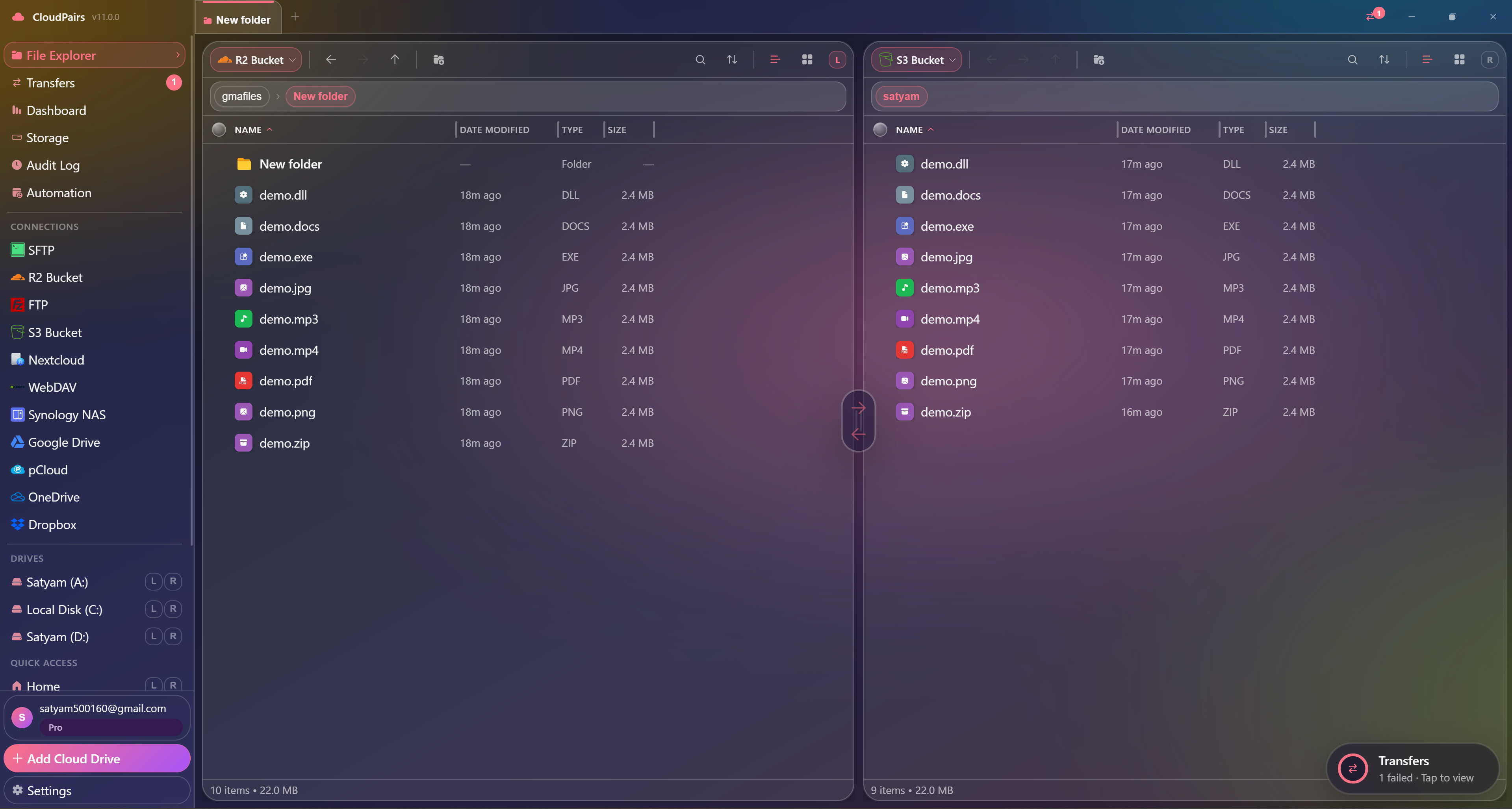
Dual-pane Cloud-to-Cloud Transfer browsing
How to connect Cloud-to-Cloud Transfer
Five steps to your first transfer. Full guide in our docs.
Download CloudPairs and sign up — free 14-day Pro trial, no credit card.
Add both connections (e.g. Amazon S3 + Google Drive) via Connections → + Add.
Open the S3 bucket in the left pane and the Drive folder in the right pane.
Select files or folders → Copy to opposite pane, or drag-drop — monitor the Transfer queue for progress, speed, and retry.
Optional (Pro): Automation → new task with source S3 and destination Drive on a cron or interval schedule.
Read the full Cloud-to-Cloud Transfer connection guide →
See also: Docs guide
CloudPairs vs alternatives
| Alternative | Limitation |
|---|---|
| Download then re-upload | 2× bandwidth, requires free disk space, failure-prone on sleep or Wi‑Fi drops. |
| rclone sync | Powerful CLI — no dual-pane picker, OAuth clouds harder to configure for daily ops. |
| MultCloud (web) | Browser-based uploads, privacy concerns, limited desktop queue and automation UX. |
Cloud-to-Cloud Transfer questions
Related cloud tools
Ready to manage Cloud-to-Cloud Transfer?
Free 14-day Pro trial — no credit card. Then $12/mo for automation and unlimited connections.
Free forever · Pro $29 one-time · 2 years updates & support