SFTP client with
dual-pane power
Password or SSH private key auth. Browse remote paths like local folders. Copy SFTP ↔ S3, local disk, or another SFTP server in one app on Windows and macOS.
WinSCP and FileZilla feel stuck in 2005
Legacy SFTP clients still transfer files — but they live in a single-protocol silo. No S3 pane beside your server, no transfer queue with automatic retry, no cron job to pull logs into a bucket, and key management scattered across plain-text configs. An sftp client windows users expect in 2026 should share a workspace with cloud storage, honour OpenSSH keys in the system keychain, and verify host keys without nagging every session. Switching tools for every hop in a hybrid workflow slows admins and invites mistakes.
Modern SFTP in a multi-cloud desktop
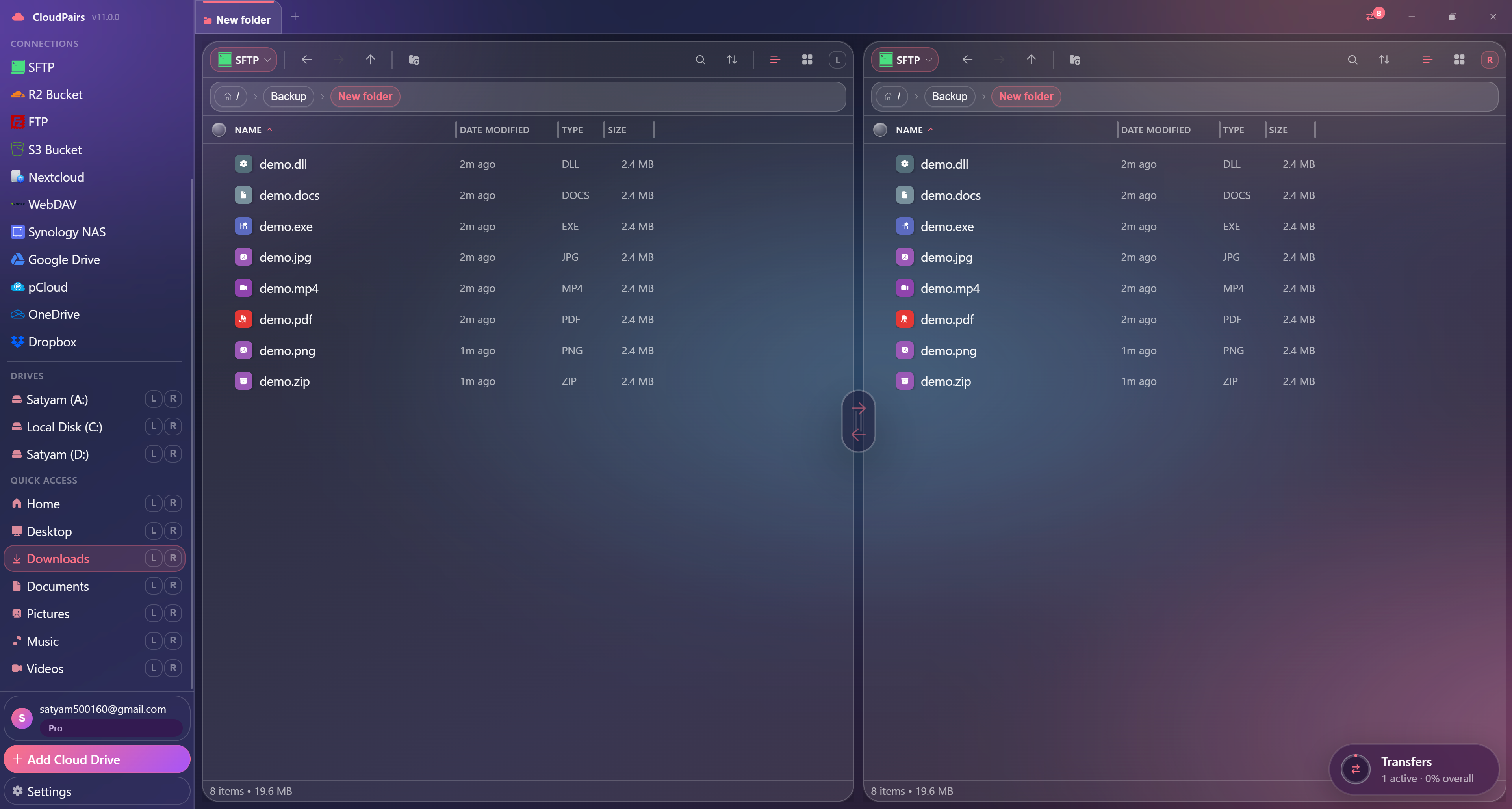
CloudPairs is an sftp client for Windows 10/11 and macOS 13+ with dual-pane browsing, password or private-key auth (OpenSSH, ed25519, RSA, ECDSA), and host-key verification with saved sessions. Drag files between SFTP and S3, R2, local disks, or a second SFTP host without leaving the app. The transfer queue handles recursive folder jobs with bandwidth limits; Pro adds scheduled syncs. Credentials stay in your OS keychain. Try Pro free for 14 days — no credit card — then $12/mo.
Why CloudPairs for SFTP
Password + SSH key auth
OpenSSH, ed25519, RSA, and ECDSA private keys — import or paste, stored securely.
Dual-pane SFTP ↔ local / S3 / R2
Server in one pane, destination in the other — drag-drop or queue bulk copies.
Host key verification
Trust-on-first-use with saved sessions — no silent MITM, no endless prompts.
Recursive folder queue
Upload or download entire directory trees with per-file progress and retry.
Bandwidth limiter per session
Cap upload/download speed so SFTP jobs do not saturate office links.
Keychain storage
Passwords and keys in Windows Credential Manager or macOS Keychain — not flat config files.
Who uses CloudPairs with SFTP
Web server deploys
Push build artifacts from local or CI output SFTP → production docroot in one queue.
Log collection
Scheduled download from remote app servers into a dated local or S3 archive.
Hybrid backup
Nightly automation: SFTP server → S3 bucket for off-site retention without custom scripts.
Dual-pane SFTP browsing
How to connect SFTP
Five steps to your first transfer. Full guide in our docs.
Install CloudPairs and sign up — free 14-day Pro trial, no credit card.
Connections → + Add → SFTP Server.
Enter host, port (22), username, and password or private key path.
Set start path if needed (e.g. /var/www) and accept the host key on first connect.
Test connection → Save → browse the server in left or right pane and transfer.
Read the full SFTP connection guide →
See also: Docs guide
CloudPairs vs alternatives
| Alternative | Limitation |
|---|---|
| WinSCP | SFTP-focused only — no cloud OAuth, no automation scheduler, dated dual-pane. |
| FileZilla | Weak SSH key UX, no cloud-to-cloud, no unified multi-protocol sidebar. |
| Cyberduck | Single-protocol focus per session, limited queue and automation. |
SFTP questions
Related cloud tools
Ready to manage SFTP?
Free 14-day Pro trial — no credit card. Then $12/mo for automation and unlimited connections.
Free forever · Pro $29 one-time · 2 years updates & support