The R2 browser
built for real file work
Skip the AWS CLI for everyday bucket tasks. CloudPairs connects to R2 with your S3-compatible credentials — browse buckets in dual-pane mode, queue bulk uploads, and copy to S3 or local disks without egress guesswork.
The R2 dashboard wasn't built for bulk file work
Cloudflare's console is fine for creating buckets — but renaming folders, moving thousands of objects, or syncing R2 ↔ S3 means CLI scripts or third-party tools with clunky UIs. A cloudflare r2 browser on the desktop should feel like Explorer or Finder: dual panes, drag-and-drop, searchable listings, and a transfer queue you can pause or retry. When every asset move becomes a one-off script, teams lose hours and introduce risk. You need a dedicated R2 file manager that treats buckets like folders, not API endpoints.
CloudPairs = your R2 desktop client
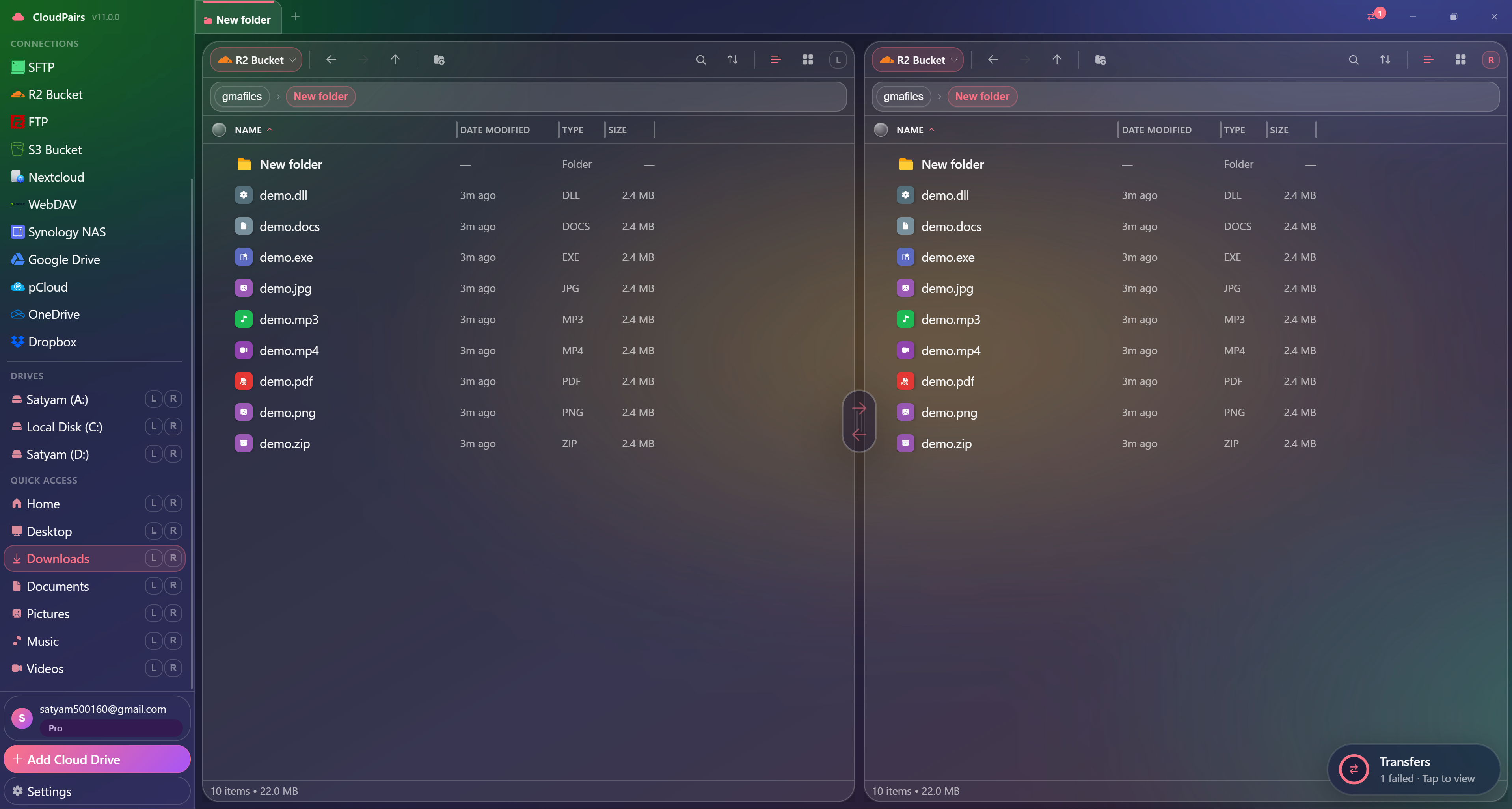
CloudPairs is a cloudflare r2 browser for Windows 10/11 and macOS 13+ that speaks the S3-compatible API R2 exposes. Connect in about 60 seconds with endpoint https://<account-id>.r2.cloudflarestorage.com and region auto, then browse buckets in a dual-pane layout. Queue parallel uploads and downloads, copy R2 → Amazon S3 without staging on disk, and schedule nightly backups to another bucket or SFTP. Credentials live in your OS keychain. Start with a free 14-day Pro trial — no credit card — then continue on Pro at $12/mo for automation and unlimited connections.
Why CloudPairs for Cloudflare R2
S3-compatible R2 connection
Access Key + Secret + custom R2 endpoint — same workflow as S3, tuned for Cloudflare.
Dual-pane R2 ↔ S3/local
Drag files between buckets, local disks, or another cloud without shell scripts.
Zero middleman cloud-to-cloud
Copy R2 → S3 directly through the transfer queue — no download folder in between.
Bulk folder operations
Recursive upload, download, and delete with per-file progress and retry.
Automation
Schedule R2 → backup bucket jobs on cron, interval, or daily rules (Pro).
OS keychain storage
R2 access keys encrypted in Windows Credential Manager or macOS Keychain.
Who uses CloudPairs with Cloudflare R2
Static site asset sync
Push build output from local → R2 production bucket before CDN cache refresh.
R2 → S3 disaster backup
Nightly automated mirror from R2 origin to AWS for compliance or redundancy.
Multi-bucket media library
Browse CDN origin buckets with search, sort, and dual-pane reorganisation.
Dual-pane Cloudflare R2 browsing
How to connect Cloudflare R2
Five steps to your first transfer. Full guide in our docs.
Download CloudPairs for Windows or macOS and sign up — free 14-day Pro trial, no credit card.
Open Connections → + Add connection → choose S3 Compatible.
Endpoint: https://<account-id>.r2.cloudflarestorage.com — Region: auto.
Enter R2 Access Key ID and Secret Access Key from the Cloudflare dashboard.
Test connection → Save → open the bucket in the left or right pane and start transferring.
Read the full Cloudflare R2 connection guide →
See also: Docs guide
CloudPairs vs alternatives
| Alternative | Limitation |
|---|---|
| Cloudflare Dashboard | No dual-pane, no transfer queue, no cross-cloud copy. |
| AWS CLI / rclone | Powerful but no visual browser for daily file operations. |
| Cyberduck | Single-pane layout, limited automation, dated UX. |
Cloudflare R2 questions
Related cloud tools
Ready to manage Cloudflare R2?
Free 14-day Pro trial — no credit card. Then $12/mo for automation and unlimited connections.
Free forever · Pro $29 one-time · 2 years updates & support