Built for
serious file work
Not a toy uploader. CloudPairs gives developers, sysadmins, and power users a unified workspace that handles files at scale — across any protocol, any cloud.
See every feature in action
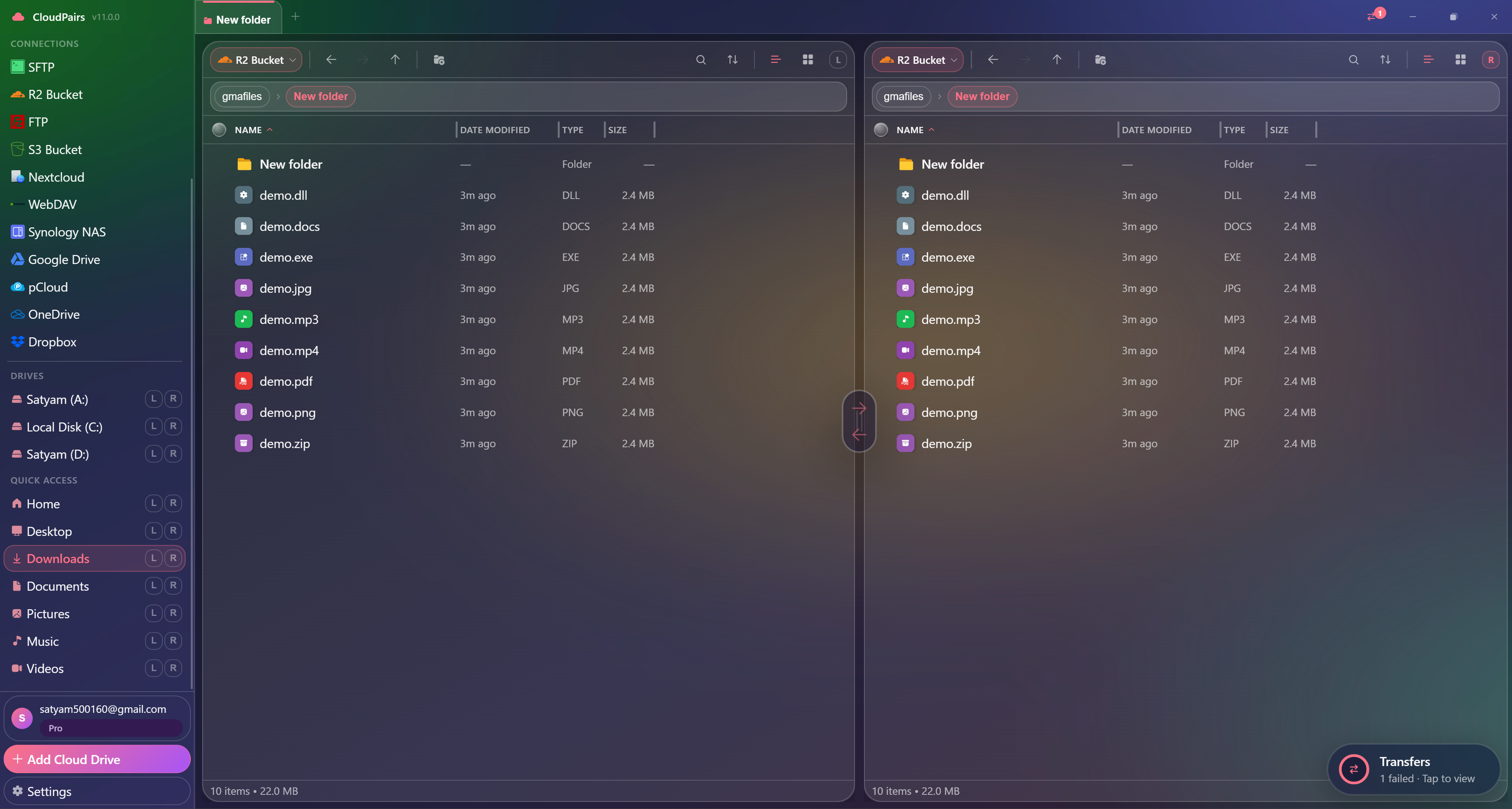
Dual-pane explorer · R2 ↔ local · multi-select & drag-drop
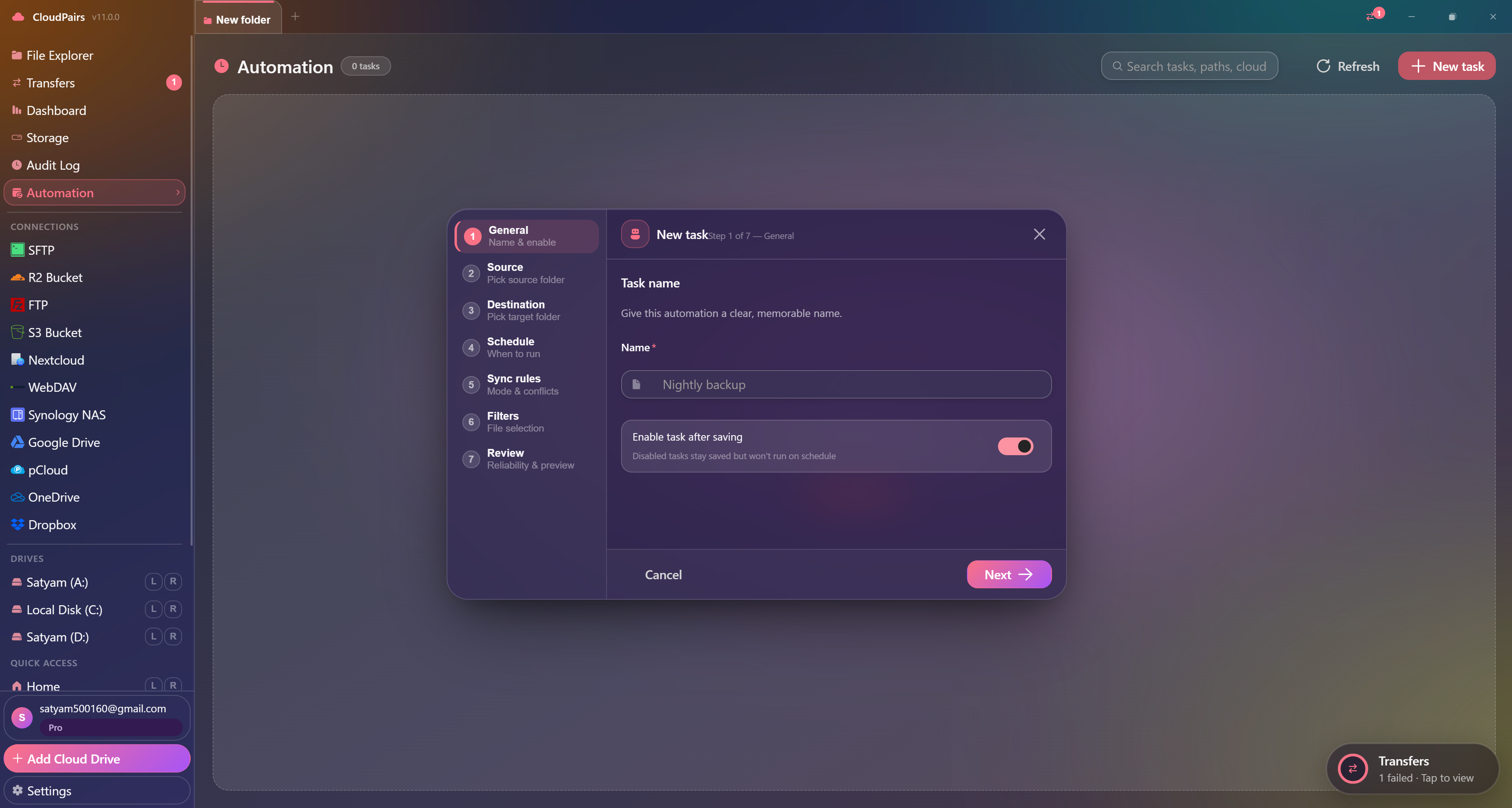
Cron automation · interval, daily, or custom schedule
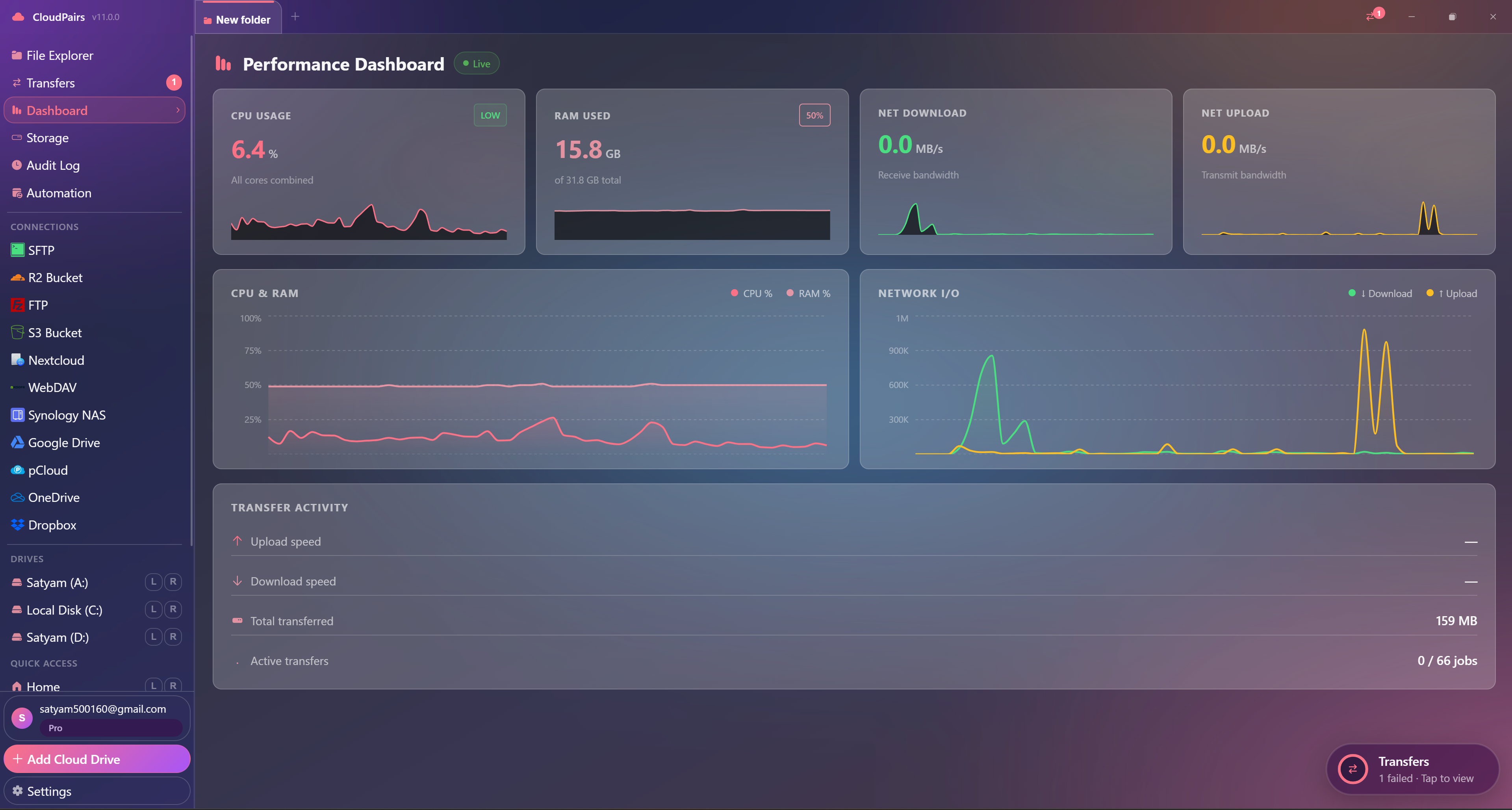
Performance dashboard · real-time sparklines & transfer activity
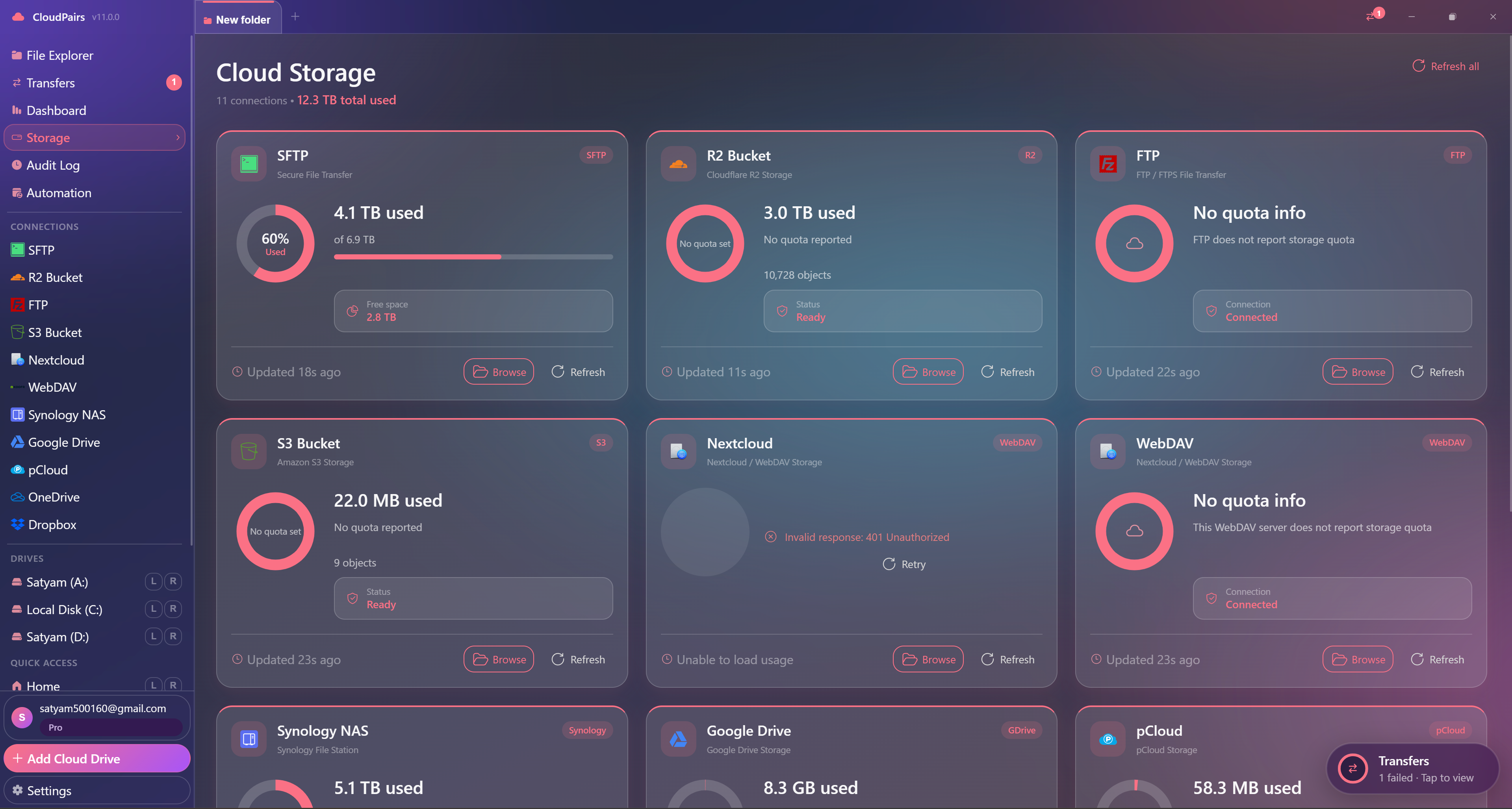
Storage grid · SFTP, S3, R2, Drive & more · browse or refresh each source
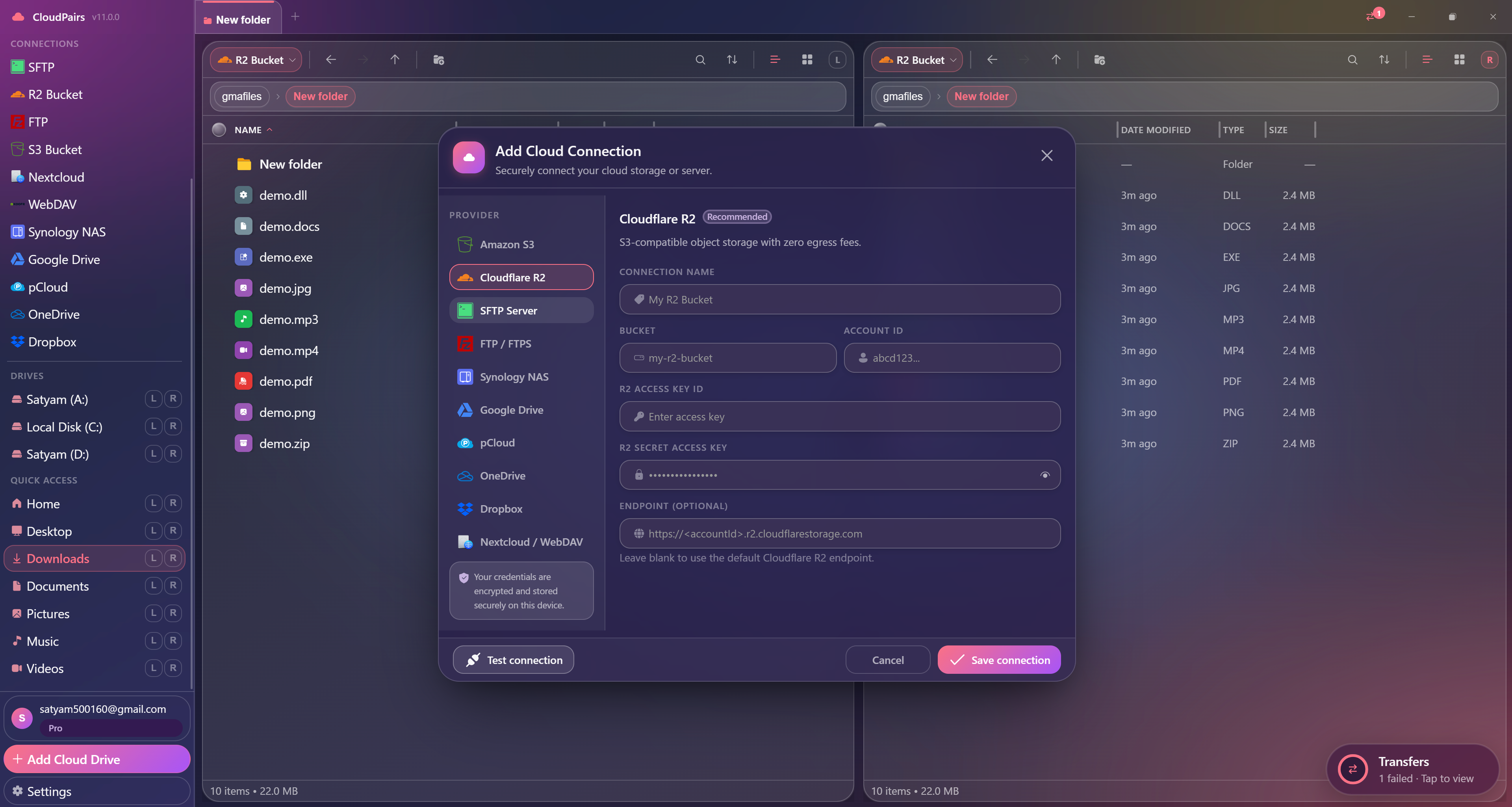
Add Cloudflare R2, S3, SFTP & more · credentials on device
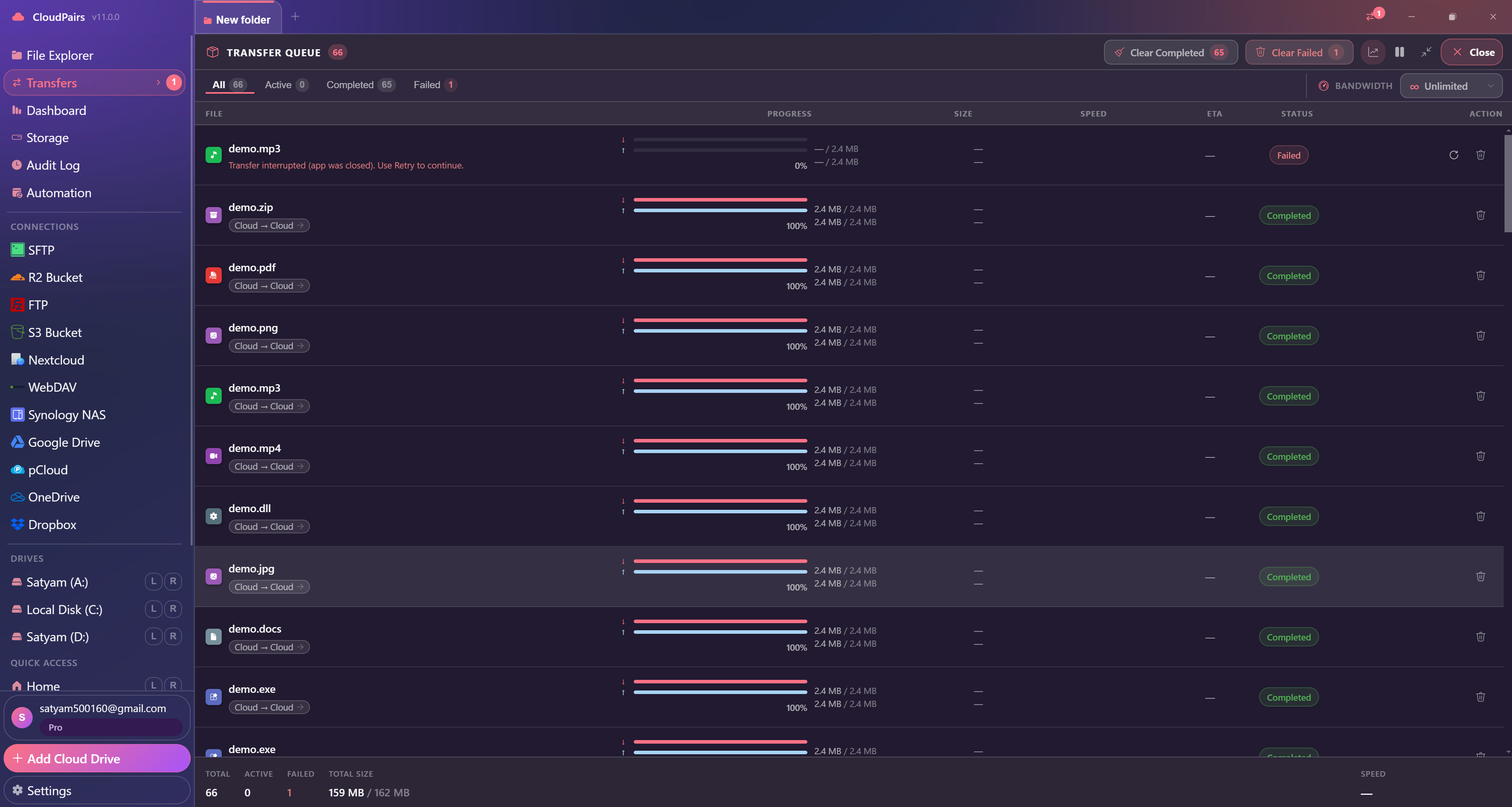
66-job queue · cloud-to-cloud, progress bars, failed retry
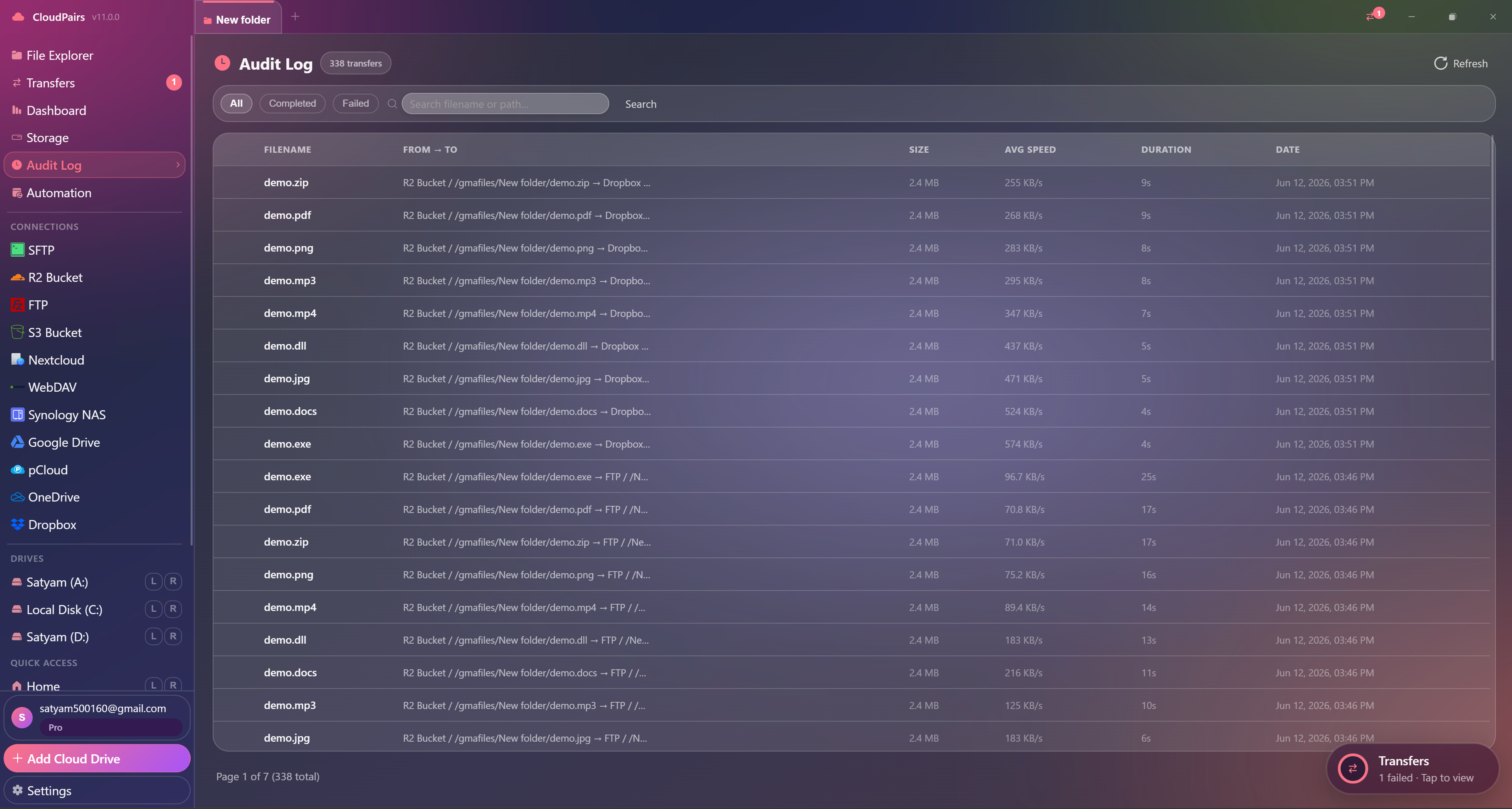
Every file op logged · R2 → Dropbox, speed, duration
Dual-Pane File Explorer
Side-by-side browsing with breadcrumb navigation, live search, multi-select, and instant copy between any two sources — local disk to cloud, or cloud to cloud.
- List and grid views with sortable columns
- Multi-select with Shift/Ctrl and context menu
- Drag-and-drop between panes or from desktop
- Breadcrumb navigation with quick-jump
- Show/hide hidden files toggle per pane
- Right-click context menu with all operations
12 Cloud Protocols, One App
Connect every major cloud storage and file server protocol. Add a connection in under 60 seconds — credentials encrypted in your OS keychain.
- Amazon S3 & any S3-compatible endpoint (B2, Wasabi, MinIO)
- Cloudflare R2 with S3-compatible API
- SFTP & FTP/FTPS with key or password auth
- Dropbox, OneDrive, pCloud (OAuth PKCE)
- WebDAV, Synology Drive, Samba/SMB
- Connection test before browsing or transferring
Transfer Queue Built for Power
Upload, download, and cloud-to-cloud copy with full visibility. Parallel jobs, bandwidth limits, retry on failure — everything enterprise teams demand.
- All / Active / Completed / Failed tab views
- Per-file progress bars with speed and ETA
- Bandwidth limiter (KB/s or MB/s)
- Automatic retry with exponential back-off
- Cloud-to-cloud copy without local download
- Folder jobs with recursive subfolder support
Cron-Powered Sync Scheduler
Set up automated sync jobs that run on interval, daily schedule, or a cron expression. Skip redundant uploads, mirror one-way, and get a full audit trail.
- Interval, daily time, or cron expression scheduling
- Skip-existing to avoid re-uploading unchanged files
- Delete-after-copy for one-way mirror workflows
- Per-task enable/disable toggle
- Last-run status and full audit log
- Source + destination from any connected protocol
Live System & Transfer Dashboard
Real-time sparkline charts for CPU, RAM, and network I/O. Storage quota across all connected sources. Audit log of every file operation and automation run.
- CPU, RAM, Network I/O live sparklines
- Disk usage per connected volume
- Active job count and bandwidth utilization
- Storage quota across all cloud connections
- Audit log: timestamps, operations, paths, sizes
- Filter and search the audit history
5 Distinct UI Themes
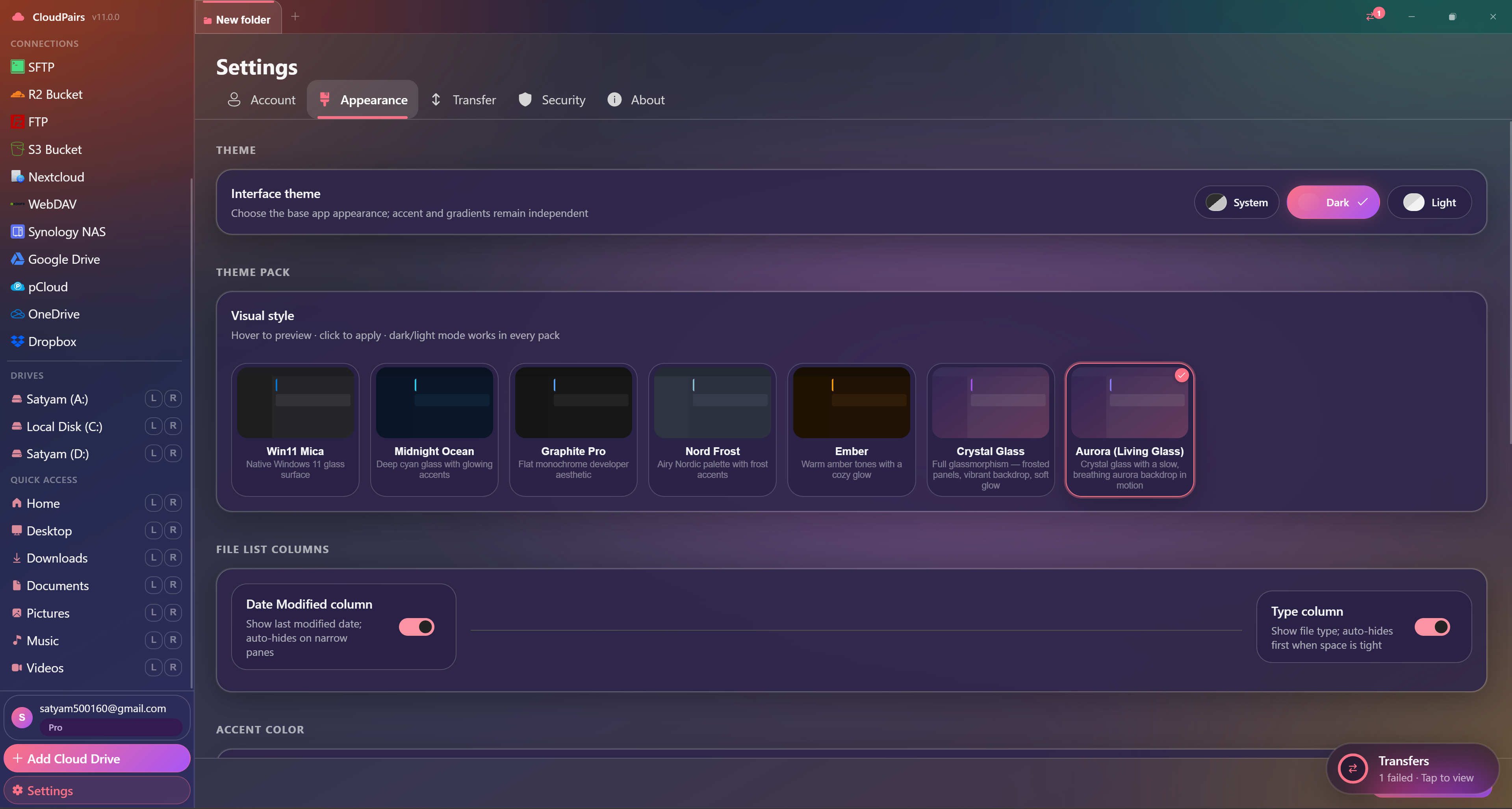
Choose a look that fits your workflow. Every theme ships with dark and light variants plus a customizable accent color picker.
- Mica — subtle frosted glass with soft contrast
- Graphite Pro — sharp monochrome for long sessions
- Nord Frost — cool blue-grey inspired palette
- Glass Aurora — teal and purple gradient accents
- Ember Forge — warm orange highlights on deep charcoal
- Per-theme dark + light mode and accent picker
See Every Job — Active, Done, or Failed
The transfer queue tracks cloud-to-cloud copies with per-file progress, speed, ETA, and one-click retry when a job fails mid-stream.
- All / Active / Completed / Failed filters
- Bandwidth limiter per session
- Retry failed jobs without re-adding files
- Clear completed or failed batches in one click
Full Transfer History Across Every Cloud
Search and filter every upload, download, and cloud-to-cloud copy — with source, destination, average speed, and duration.
- 338+ transfers searchable in one view
- From → To paths (R2, S3, SFTP, Drive, FTP)
- Completed and failed status filters
- Paginated history for compliance review
Ready to try every feature?
Free forever. Pro is $29 one-time for 2 years of updates.
Free forever · Pro $29 one-time · 2 years updates & support