pCloud
desktop access
Connect pCloud via OAuth — automatic US/EU datacenter detection — and browse files alongside S3, SFTP, Google Drive, or local storage in dual-pane mode.
pCloud's app focuses on sync and crypto, not multi-cloud ops
pCloud Drive syncs a folder. Moving files pCloud → S3, or browsing pCloud next to an SFTP server, requires the web interface or manual downloads. A pcloud file manager should offer OAuth login, datacenter-aware API access, and cross-protocol transfers in one desktop session. EU residency teams and media creators still export and re-upload when they need selective copies to R2 or a NAS — the sync client does not expose dual-pane browsing or a queue built for hybrid cloud workflows.
OAuth pCloud with datacenter auto-detection
Authorize with pCloud — CloudPairs reads your datacenter (US or EU) and stores OAuth tokens in your OS keychain on Windows 10/11 or macOS 13+. Browse folders visually, queue large transfers with retry, and automate pCloud → backup bucket workflows with cron rules (Pro). Copy pCloud ↔ S3, SFTP, or Dropbox without routing through your laptop. Free 14-day Pro trial, no credit card, then $12/mo for automation and unlimited connections.
Why CloudPairs for pCloud
pCloud OAuth 2.0
US/EU datacenter auto-detection — correct API region without manual setup.
Dual-pane pCloud ↔ S3 / R2 / SFTP
Browse pCloud in one pane and any other protocol in the other — drag to copy.
Folder browse, upload, download
Visual file picker with transfer queue, progress bars, and retry on failure.
Automation scheduler
Recurring pCloud backup jobs to S3, R2, or SFTP on cron or interval (Pro).
OS keychain credential storage
OAuth tokens encrypted on-device — never transmitted to CloudPairs servers.
12 protocols in one app
Use pCloud alongside Drive, Dropbox, S3, Synology, and more in one sidebar.
Who uses CloudPairs with pCloud
EU data residency
pCloud EU → EU S3 bucket automation keeps data in-region without scripts.
Media library workflow
Browse pCloud Public folder and copy highlights to an R2 CDN origin bucket.
Personal backup
Mirror pCloud folders to Synology NAS via SFTP pane on a nightly schedule.
Dual-pane pCloud browsing
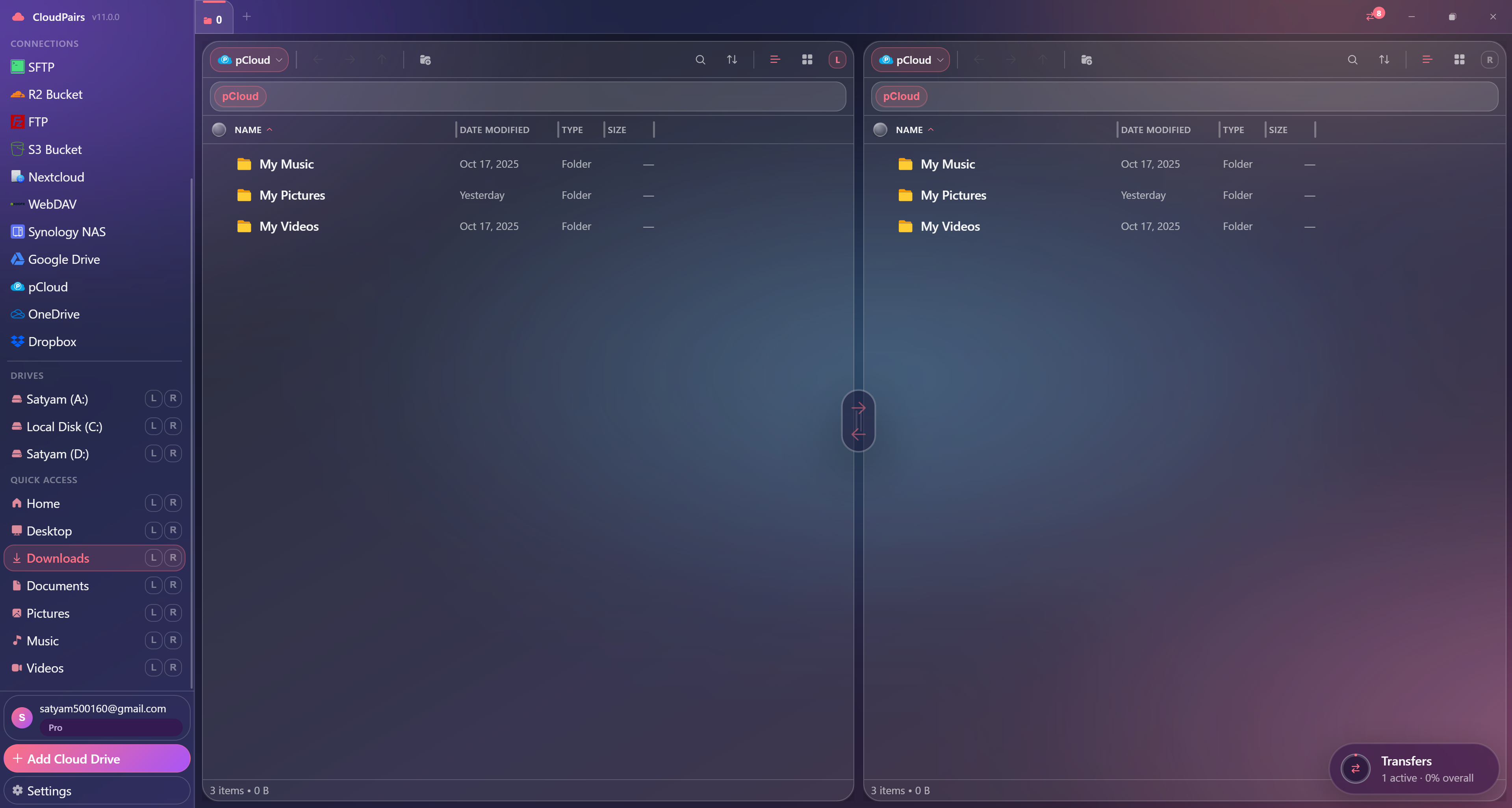
How to connect pCloud
Five steps to your first transfer. Full guide in our docs.
Download CloudPairs and create your account — 14-day Pro trial, no credit card.
Connections → + Add connection → choose pCloud.
Click Authorize with pCloud — complete OAuth in your browser.
CloudPairs detects your US or EU datacenter automatically.
Test connection → Save → browse pCloud in dual-pane mode and queue transfers.
Read the full pCloud connection guide →
See also: Docs guide
CloudPairs vs alternatives
| Alternative | Limitation |
|---|---|
| pCloud Drive desktop | Sync-only — no dual-pane multi-cloud, no S3/SFTP in same session. |
| my.pcloud.com | Web UI only — no transfer queue, no cross-cloud pane beside S3 or SFTP. |
| rclone | CLI pCloud remote — no visual queue or dual-pane file picking. |
pCloud questions
Related cloud tools
Ready to manage pCloud?
Free 14-day Pro trial — no credit card. Then $12/mo for automation and unlimited connections.
Free forever · Pro $29 one-time · 2 years updates & support