One app.
Every cloud.
Stop switching between five different tools. CloudPairs unifies 12+ protocols in a single dual-pane desktop file manager built for people who actually move data — on Windows and macOS.
You shouldn't need five apps to move one file
S3 lives in the AWS console, Google Drive in a browser tab, SFTP in WinSCP, and your NAS in Explorer — every cross-platform handoff becomes a manual export, re-upload, or brittle script. A cloud file manager should put every endpoint in one sidebar, let you open any two sources in left and right panes, and run a queue that survives sleep and spotty Wi‑Fi. Freelancers, IT admins, and creators lose hours when tools do not talk to each other. Unified desktop software fixes the workflow, not just one vendor.
CloudPairs — unified dual-pane cloud file manager
CloudPairs is a cloud file manager for Windows 10/11 and macOS 13+ that connects Amazon S3, Cloudflare R2, SFTP, FTP, Google Drive, Dropbox, OneDrive, pCloud, WebDAV, Synology, Samba, and local disks in one app. Open any source in either pane, copy cloud-to-cloud without a middleman folder, and automate recurring syncs with cron or interval rules. All credentials sit in your OS keychain. Start with a 14-day Pro trial (no credit card), then $12/mo for automation and unlimited connections — one workspace for every protocol you already pay for.
Why CloudPairs for Cloud File Manager
12+ protocols in one sidebar
S3, R2, SFTP, FTP, Drive, Dropbox, OneDrive, pCloud, WebDAV, Synology, Samba, and local volumes.
Dual-pane any-source ↔ any-destination
Mix protocols freely — R2 left, Drive right, SFTP to S3, or local to anywhere.
Cloud-to-cloud copy
Stream between two remote connections — no "download everything first" step.
Transfer queue with parallel jobs
Progress, speed, retry, and bandwidth limits across simultaneous operations.
Cron automation
Schedule syncs between any two endpoints — interval, daily, or cron expression (Pro).
OS keychain for all credentials
API keys, OAuth tokens, and SSH passwords encrypted on-device only.
Who uses CloudPairs with Cloud File Manager
Freelancer workflow
Client deliverables on Google Drive, archives on S3 — one app, two panes, no zip-and-upload dance.
IT admin
SFTP logs, S3 cold storage, and Synology NAS visible in one session with shared queue history.
Content creator
Edit locally → publish to R2 CDN bucket → nightly backup on Wasabi or S3 automatically.
Dual-pane Cloud File Manager browsing
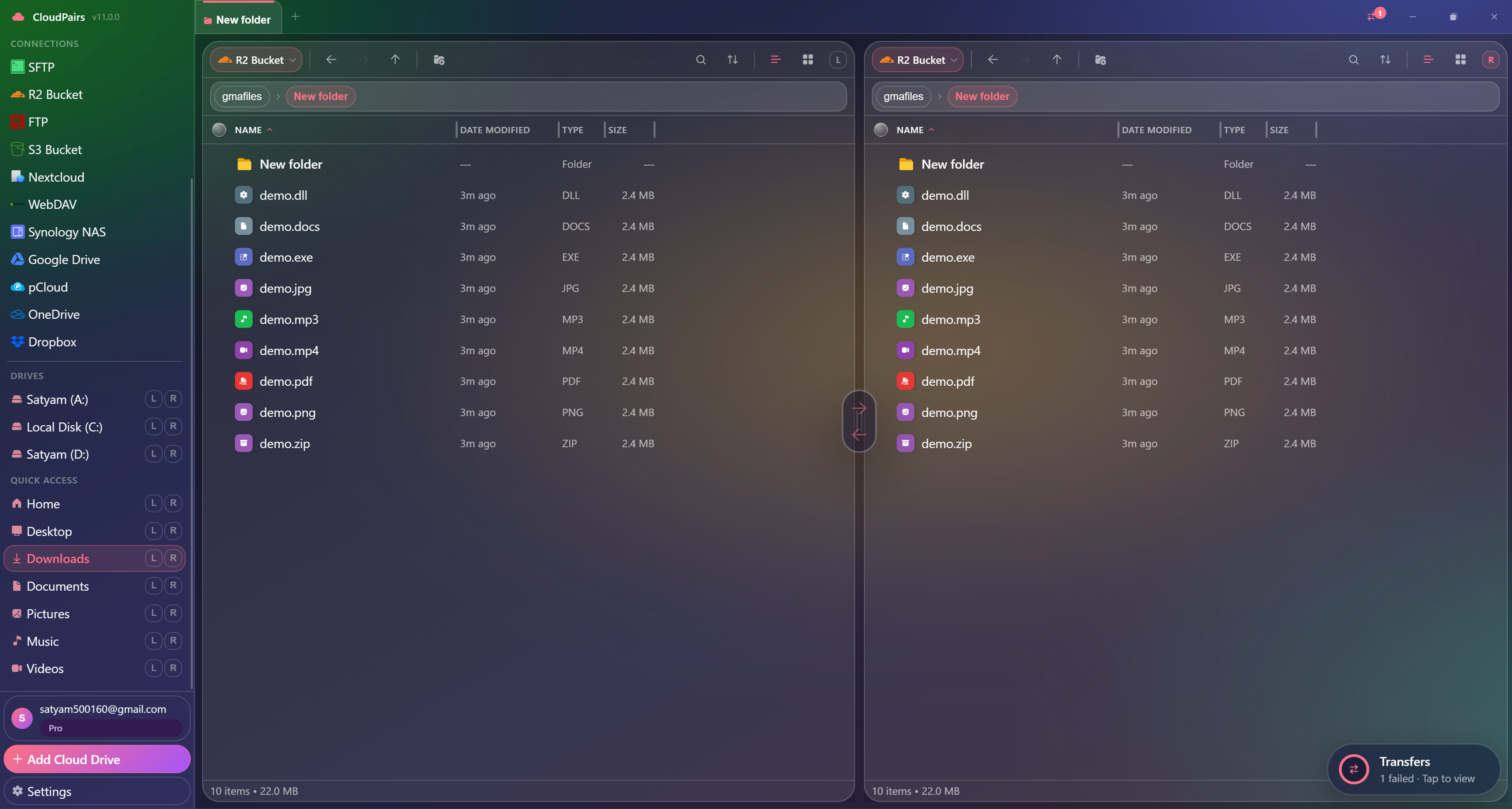
How to connect Cloud File Manager
Five steps to your first transfer. Full guide in our docs.
Download CloudPairs for Windows or macOS and sign up — 14-day Pro trial, no credit card.
Open Connections → + Add Cloud Drive and pick your first protocol (S3, R2, SFTP, Drive, etc.).
Complete auth — IAM keys, OAuth in browser, or SSH credentials — then test and save.
Repeat for additional services; all appear in the sidebar.
Open File Explorer, choose any two connections in left/right panes, and start moving files.
Read the full Cloud File Manager connection guide →
See also: Docs guide
CloudPairs vs alternatives
| Alternative | Limitation |
|---|---|
| Cloud vendor web UIs | Siloed per brand — no cross-cloud pane or shared queue. |
| rclone + scripts | No GUI, high setup cost, poor visibility for non-engineers. |
| ForkLift / Commander One | Mac-only or limited protocol mix — no full Windows + cloud OAuth hub. |
Cloud File Manager questions
Related cloud tools
Ready to manage Cloud File Manager?
Free 14-day Pro trial — no credit card. Then $12/mo for automation and unlimited connections.
Free forever · Pro $29 one-time · 2 years updates & support