SMB shares
in dual pane
Connect Windows network shares, NAS SMB volumes, and Samba servers — browse alongside S3, SFTP, Google Drive, or local folders in one dual-pane app.
Windows Explorer is not a cross-cloud file manager
Mapping a network drive gives you \\server\share in Explorer — but you can't open that share next to an S3 bucket, queue a selective folder copy to SFTP, or automate SMB → cloud backup. macOS Finder SMB mounts have similar limits and disconnects. An smb file manager should treat Samba like any other cloud protocol in a unified dual-pane workspace with retry, bandwidth caps, and scheduled mirror jobs.
Samba/SMB 2/3 in CloudPairs sidebar
Enter host, share name, domain (optional), username, and password on Windows 10/11 or macOS 13+. CloudPairs connects via SMB 2/3; anonymous guest shares supported when the server allows. Browse the share in either pane and copy to S3, R2, SFTP, or another SMB server through the transfer queue. Credentials stored in your OS keychain. Free 14-day Pro trial, no credit card, then $12/mo for automation and unlimited connections.
Why CloudPairs for Samba / SMB
SMB 2.0 and 3.x support
Connect modern Windows shares and NAS Samba volumes with negotiated protocol versions.
Windows shares + NAS volumes
Office file servers, home NAS exports, and Linux Samba hosts in one client.
Domain and guest auth
Optional Active Directory domain; leave credentials blank for allowed anonymous shares.
Dual-pane SMB ↔ S3 / SFTP / local
Network share in one pane, S3, WebDAV, or another SMB host in the other.
Recursive folder copy queue
Selective folder jobs with per-file progress, retry, and bandwidth limiter.
Scheduled SMB → cloud mirror
Cron automation copies share folders to S3 or R2 with skip-existing (Pro).
Who uses CloudPairs with Samba / SMB
Office file server archive
Nightly automation copies \\fileserver\Projects to an S3 archive bucket.
NAS hybrid backup
SMB share in the left pane, R2 backup bucket in the right — one dual-pane session.
Mac access to Windows shares
Browse SMB on macOS without Finder mount disconnects or cross-cloud workarounds.
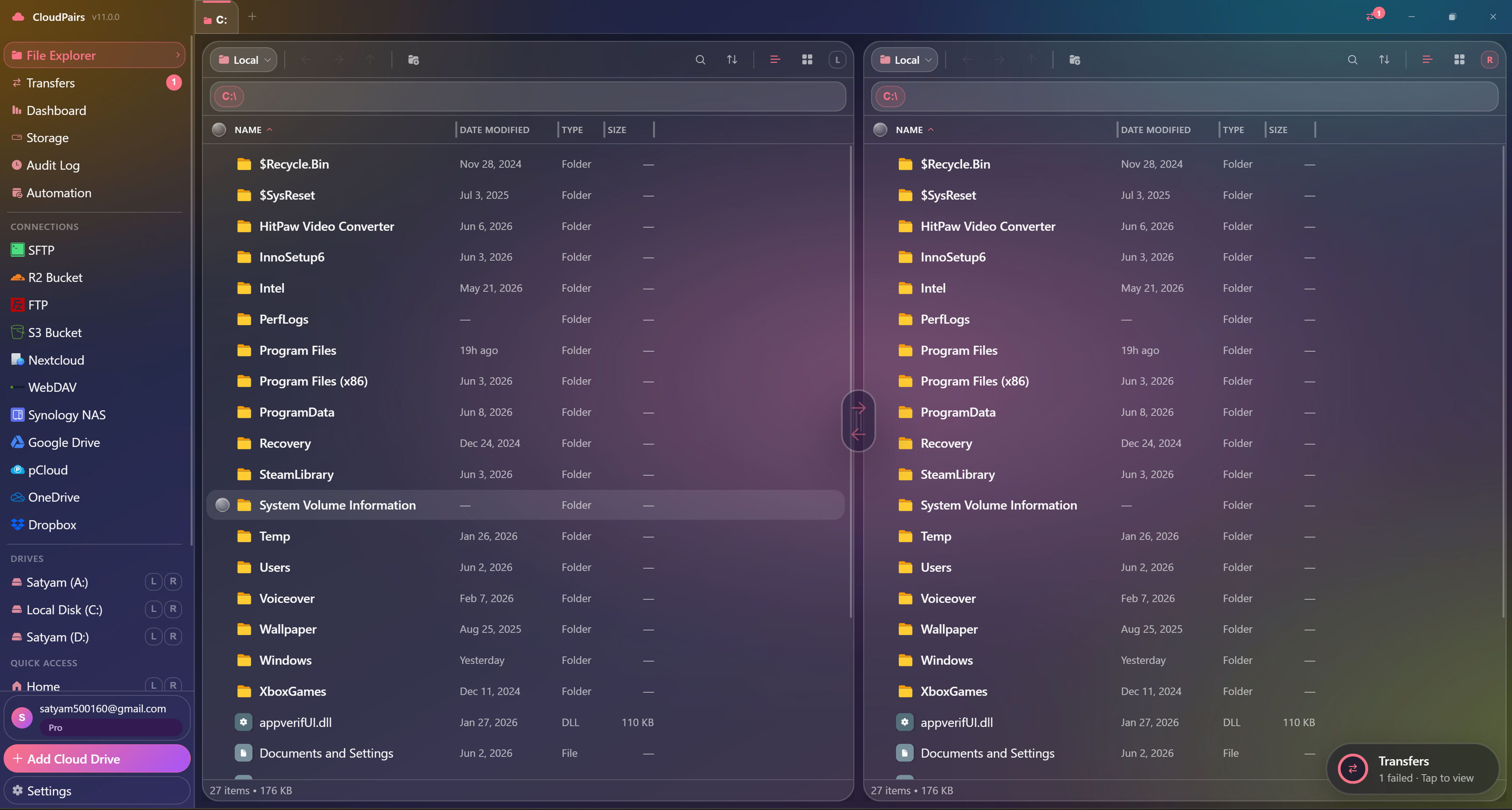
Dual-pane Samba / SMB browsing
How to connect Samba / SMB
Five steps to your first transfer. Full guide in our docs.
Download CloudPairs and create your account — 14-day Pro trial, no credit card.
Connections → + Add connection → choose Samba / SMB.
Enter host or IP, share name (e.g. backups), and domain if the server is AD-joined.
Username and password — leave blank for guest/anonymous access if the share allows it.
Test connection → Save → browse the share in dual-pane mode and queue transfers.
Read the full Samba / SMB connection guide →
See also: Docs guide
CloudPairs vs alternatives
| Alternative | Limitation |
|---|---|
| Windows Explorer network drive | No S3/SFTP pane, no automation queue, no bandwidth limiter. |
| macOS Finder SMB | Frequent disconnects — no cross-cloud pane or scheduled backup jobs. |
| RaiDrive / Mountain Duck | Mount-based, per-drive licensing — limited unified queue and automation. |
Samba / SMB questions
Related cloud tools
Ready to manage Samba / SMB?
Free 14-day Pro trial — no credit card. Then $12/mo for automation and unlimited connections.
Free forever · Pro $29 one-time · 2 years updates & support